Release Note
This April, where the sun often plays hide and seek, we are delighted to present many new features that we hope will make you smile :)
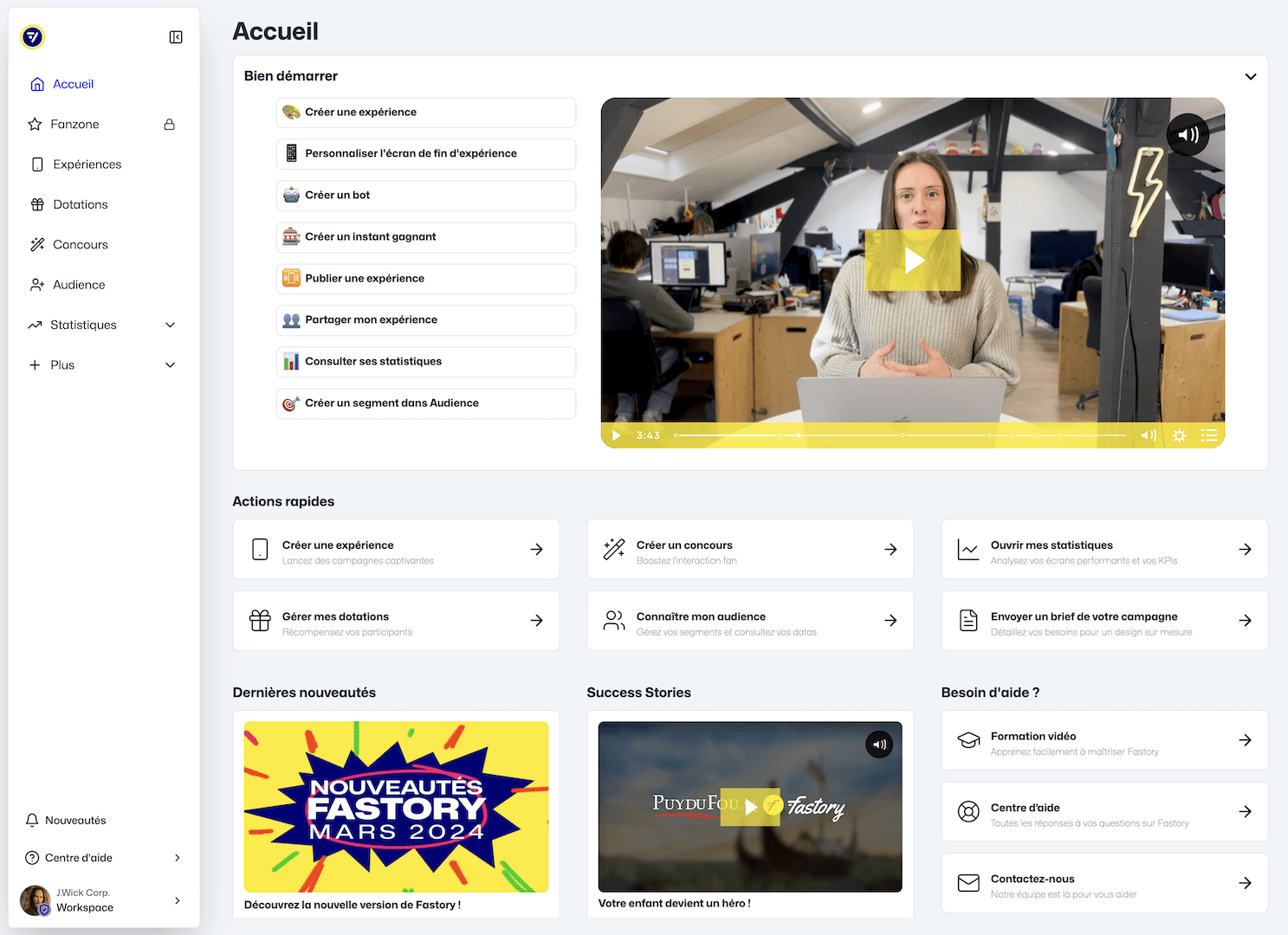
New homepage
Mégane welcomes you and guides you to get started on Fastory, especially if you are a new user. This page includes informative videos, practical shortcuts, our latest social media updates as well as inspiring experiences.
Dark Mode
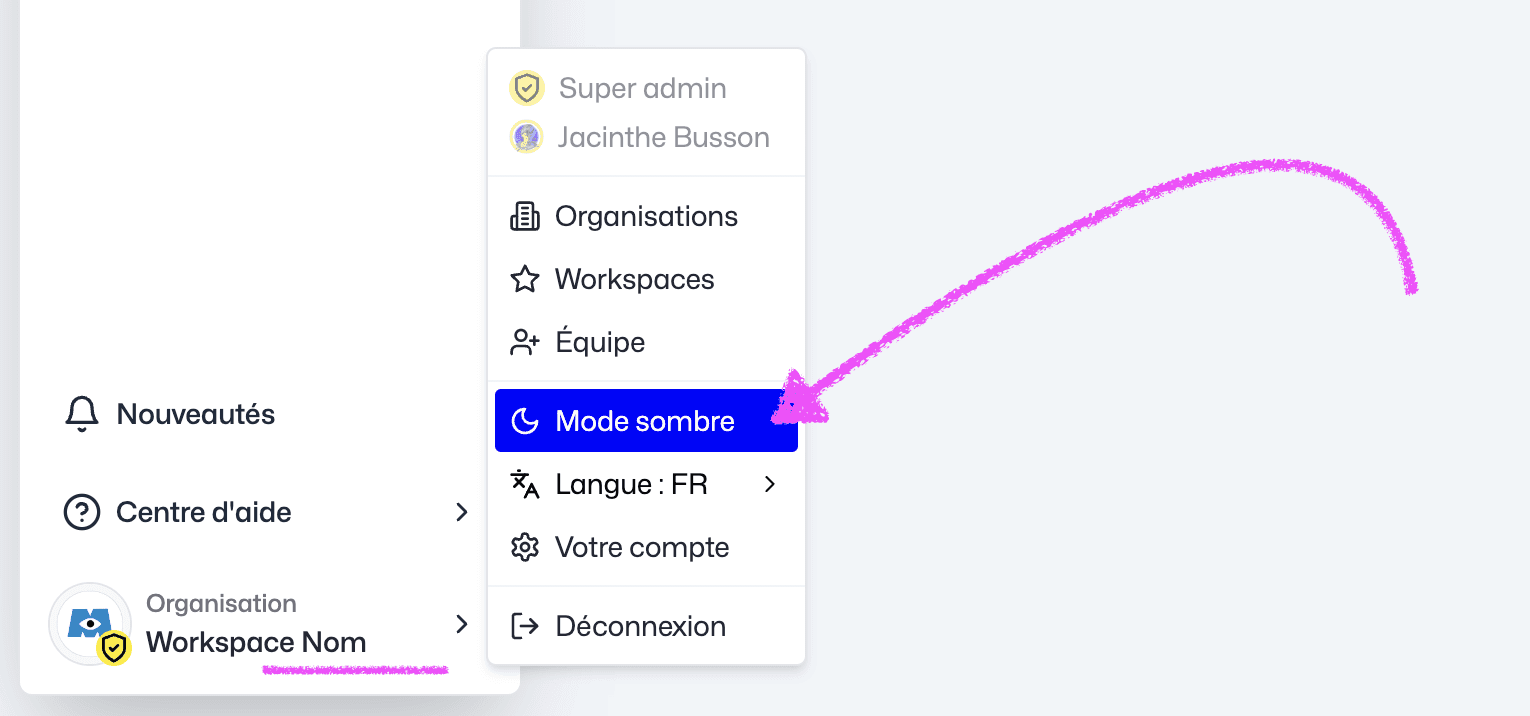
Dark mode is now available for greater visual comfort in your workspace and in the Studio. To enable this option, simply go to your profile and select "Dark Mode". In the Studio, you can disable this option via the Sun/Moon icon in the header:

Media Loader with "Favorites"
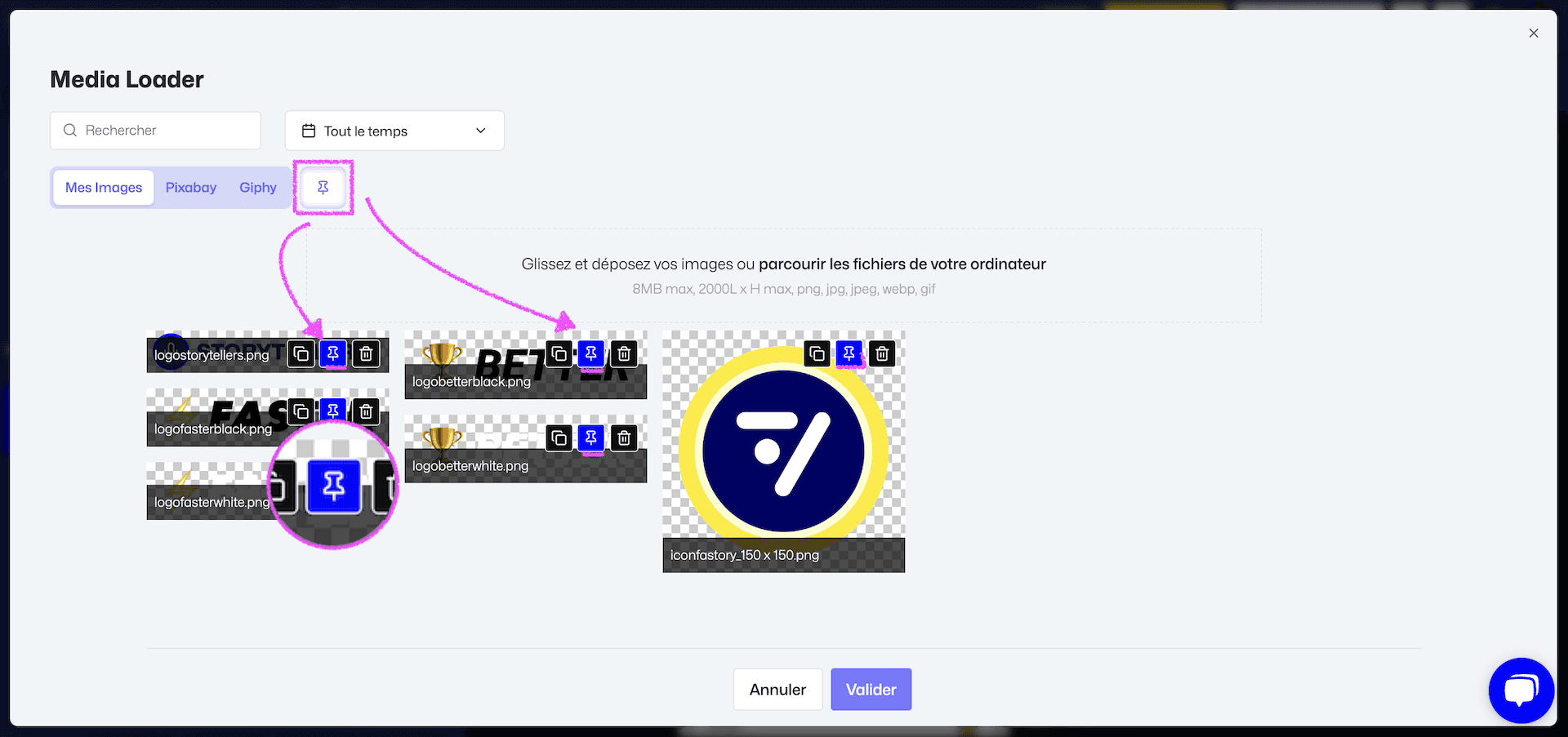
As part of the interface evolution, we are introducing a new media manager. It comes with a search engine to quickly find your files by name. A new "Pin" button has also been added to mark frequently used media as favorites, such as logos.
Instant win improvements
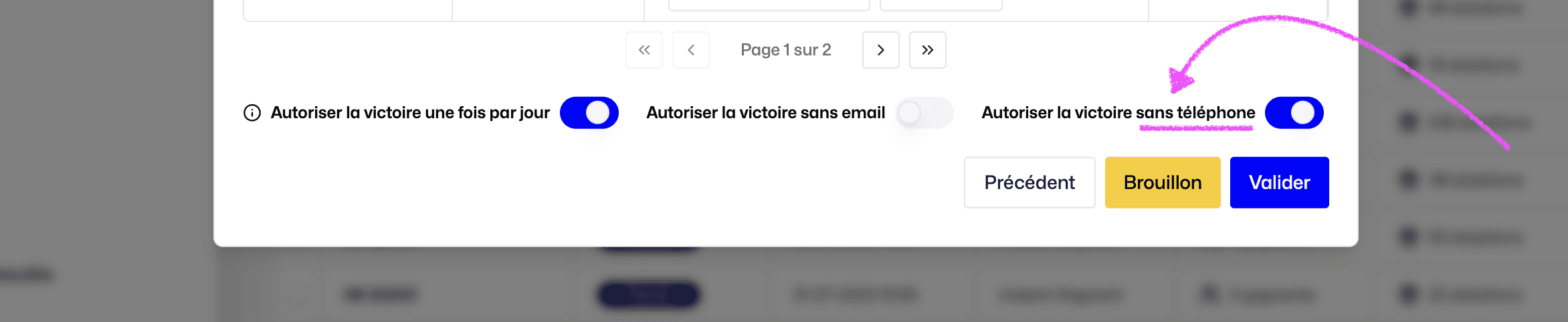
Mobile only
It is now possible to organize instant wins by requesting only a phone number. This evolution of our reward mechanic aims to facilitate participation from your community, especially if they are mainly active on your mobile app. Using an email address remains an option, as does requesting both email and mobile.
For more details on the different behaviors and how it works, see our Help Center.
QR Code scanning
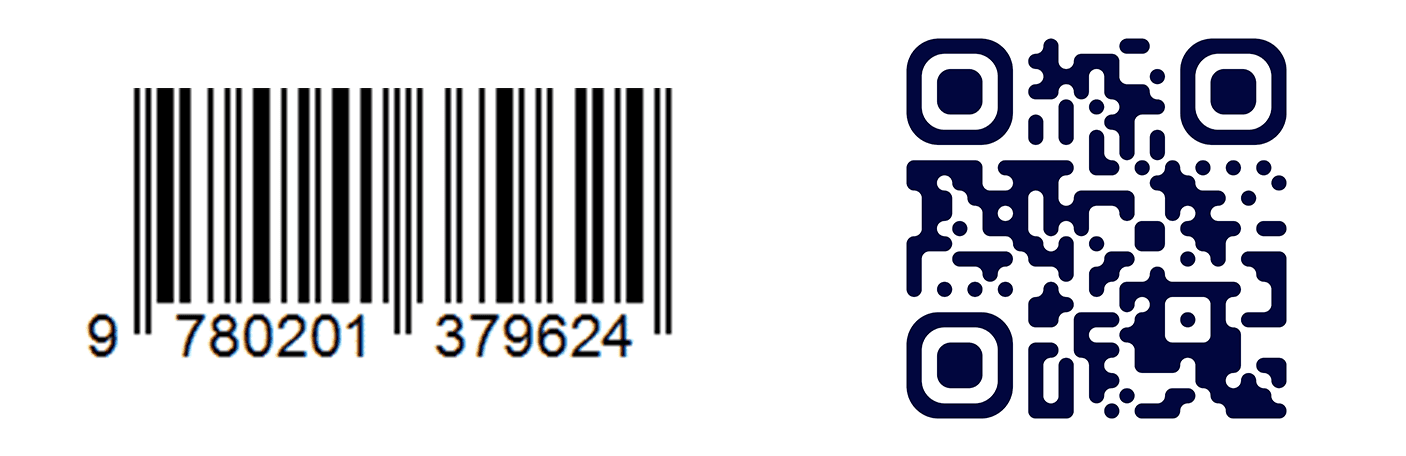
In anticipation of future needs and regulatory changes, our "Barcode Scan" feature can now also read QR Codes. GS1, the international organization dedicated to product identification, has announced the gradual replacement of barcodes with augmented QR Codes.
These will be applied to the packaging of all products, enriching the consumer experience significantly. However, traditional barcodes will remain on packaging for several years during the transition.
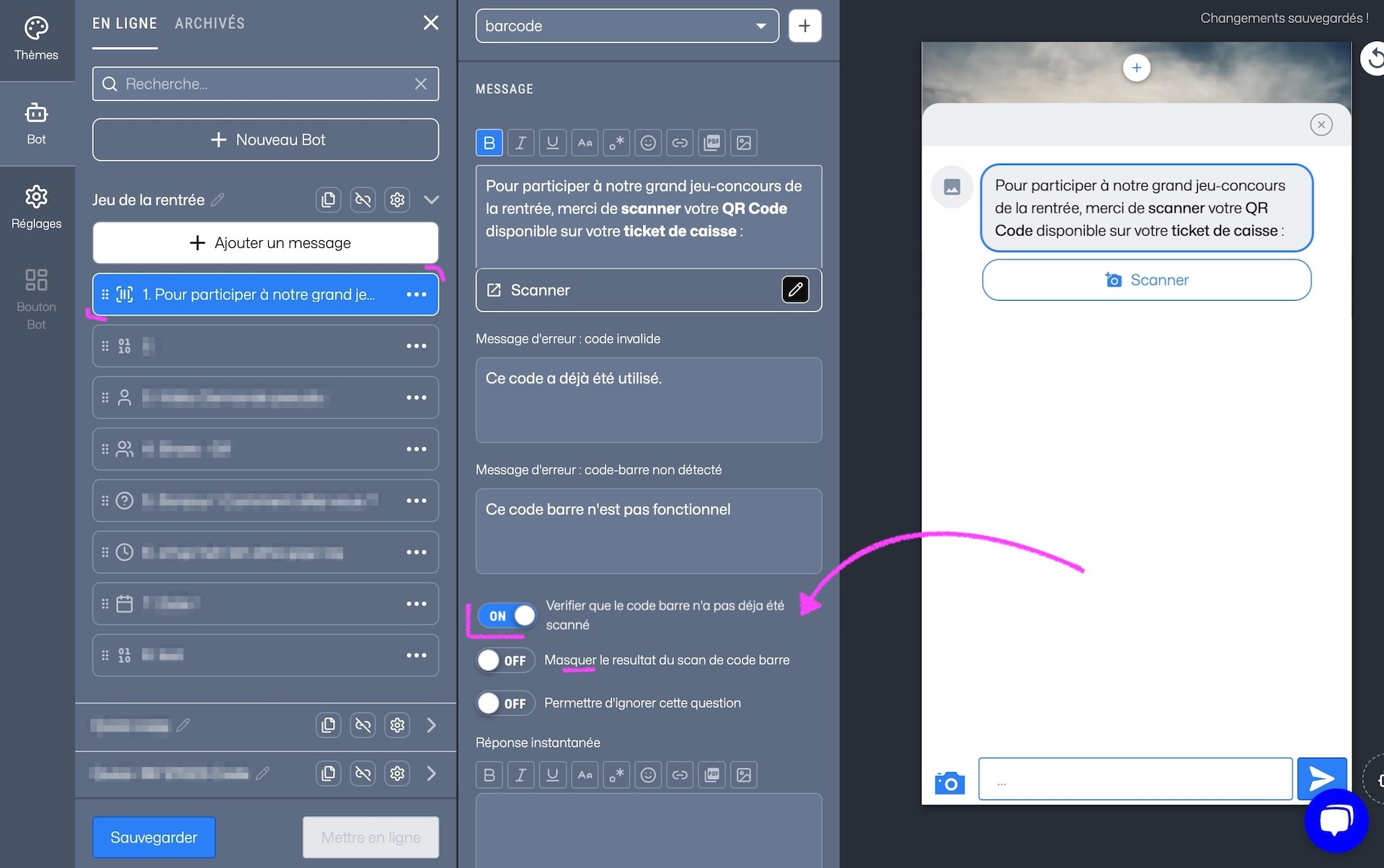
With this evolution, we introduce a new option: single-use Barcode or QR Code. This feature allows a player to access content or a game only once. If the player tries to reuse the same code, they will receive a message indicating it has already been used. (Bonus: you can also decide to hide the code in the bot conversation.)
Additionally, for prizes in the form of unique codes or discounts represented as a Datamatrix QRCode, we now offer a feature to display these codes as a QR Code in the chatbot.
The winner can then easily use their code at checkout from their smartphone to get a discount, for example. This option is also available in the 🎰 Spinner game.
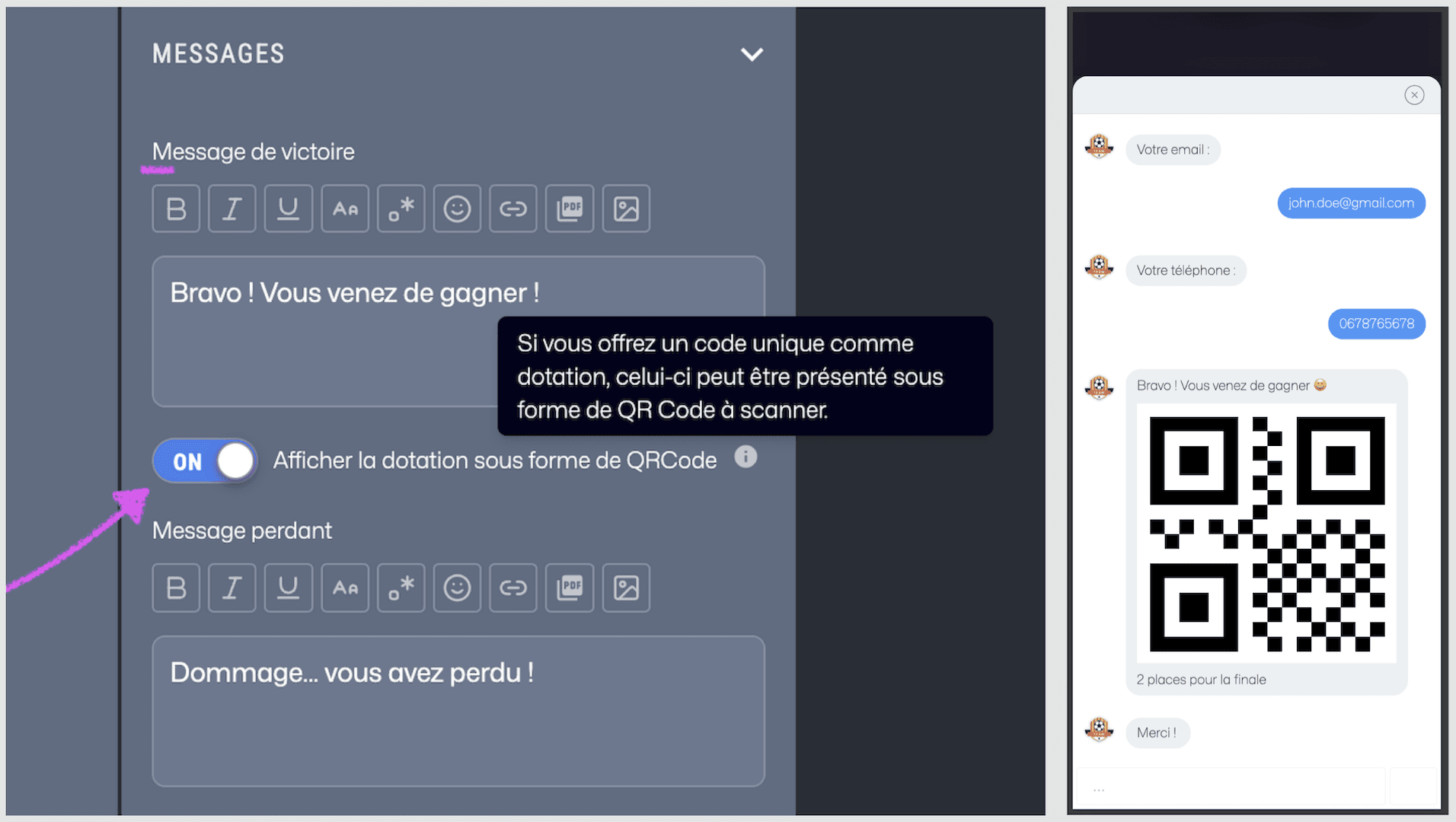
Winners can also receive this QR Code by email. To set up this feature, simply contact us.
Username moderation
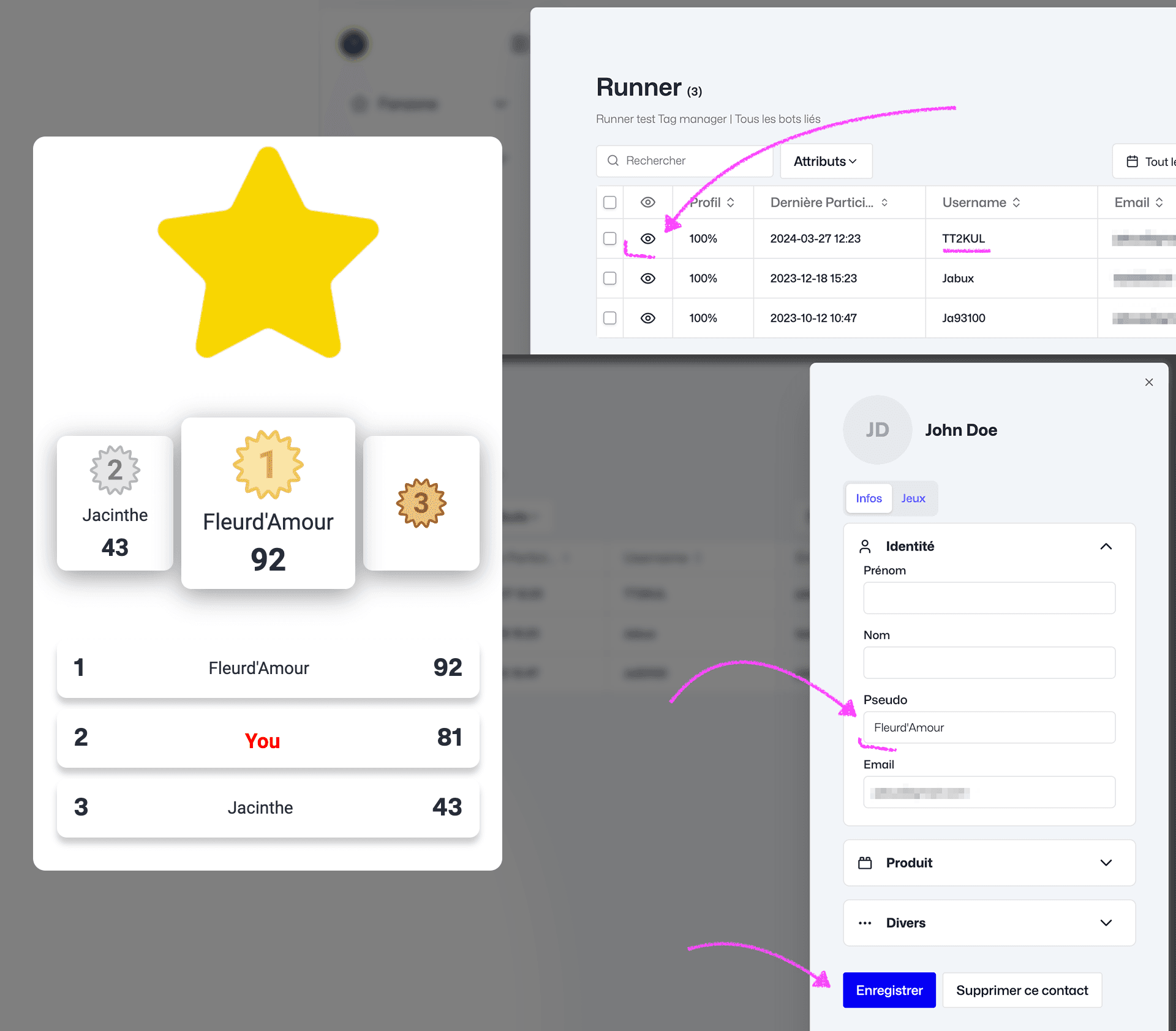
In response to your feedback and to handle exceptional situations where some players choose somewhat "cheeky" usernames, we now offer the ability to edit their usernames from the Audience section, on the player profile.
Even if the player changes their username again in a future session, the username you set will remain in effect.
👇 For other optimizations from recent weeks:
update
Media Loader: Image format now supports up to 2000px
Selfie & Vote contests: Improved graphic customization for both games
Workspace | Experience: To reduce clicks and simplify the sidebar, experience settings are now directly integrated into the corresponding page. Adjust them via the "Settings" button.
Bot | Date question: Players can only enter 4-digit years, and you can enable an option that prevents users from entering dates after today.
Bot | Opt-in question: All new opt-in attributes will have an "optin" prefix.
Performance: Improvements and optimizations on platform and Experience display performance.
bugfix
Workspace: Fixed the redirect from the "Moderate" button for easier access to Selfie game moderation.
Carousel component: Fixed navigation arrow display.