Release Note
It has been almost a month since we shared our latest evolutions… and our team hasn't been idle 💪
Today, we are happy to present new features that reinforce the central role of the Fanzone in your digital strategy. From the Bot to mobile navigation, video customization and scheduling options, everything is designed to simplify the user experience and maximize engagement.
🤖 New chatbot UX: a mobile interface designed for engagement
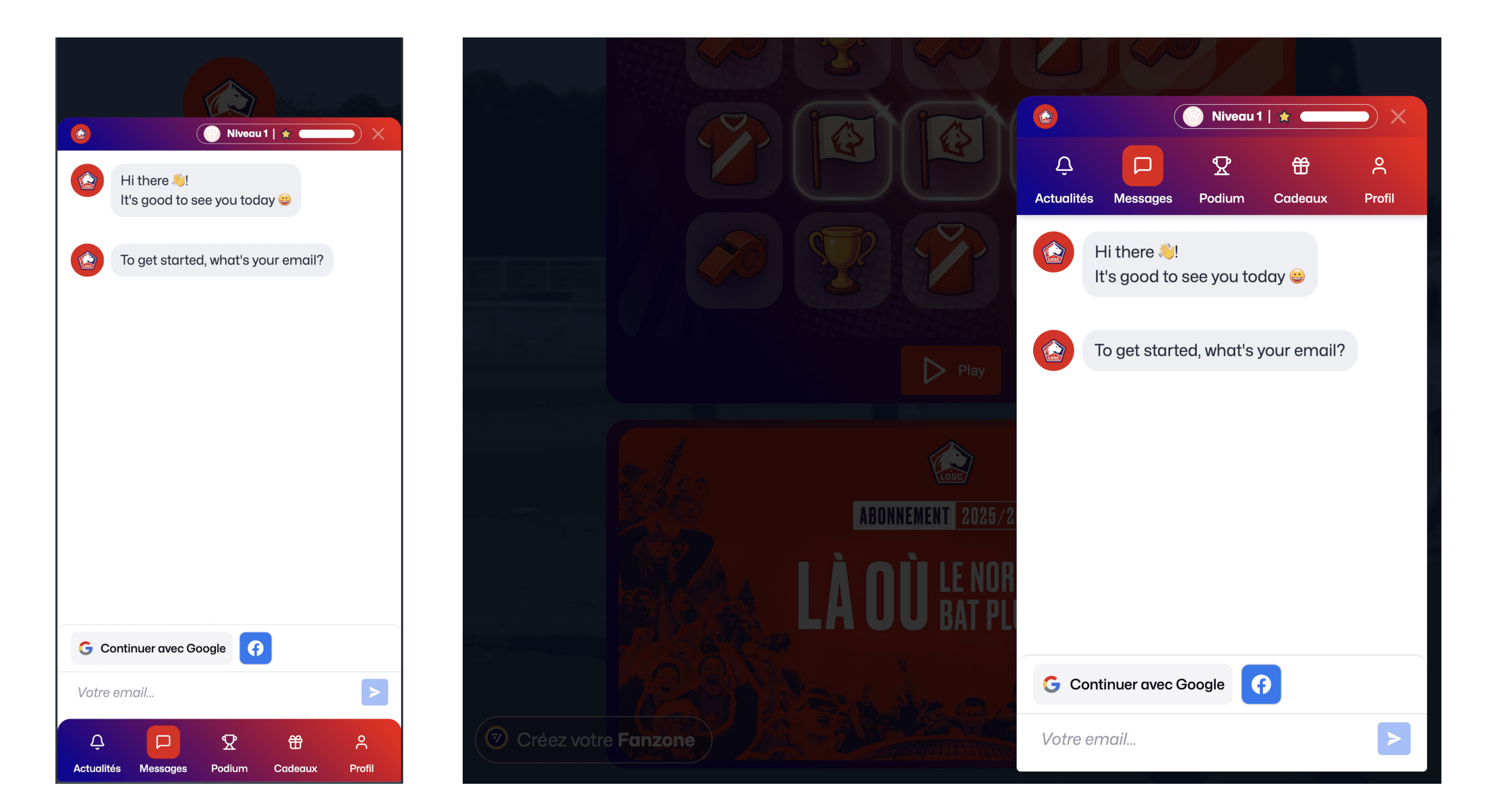
With the generalization of XXL screens on mobile, we have completely rethought the Bot display to offer navigation optimized by device:
On mobile: navigation elements are now at the bottom of the screen, within thumb's reach
On desktop: the interface retains its classic structure with a top menu.
The Bot's graphic theme is automatically aligned with your Fanzone theme, for perfect visual consistency with no additional configuration needed.
🧭 A multi-function Chatbot with leaderboard, profile and messaging
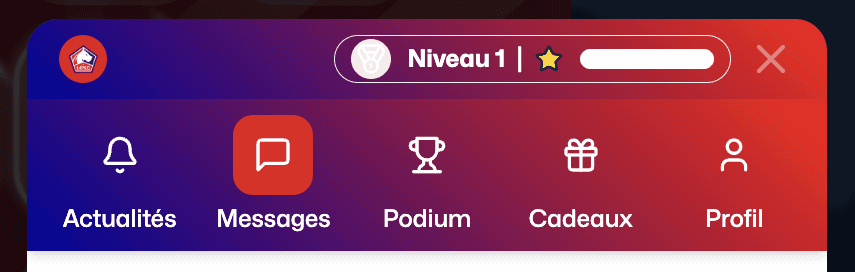
The Chatbot now hosts several tabs, each dedicated to a specific use:
News (coming soon): broadcast real-time content.
Messages: the usual communication channel where your fans answer your questions as needed.
Leaderboard: ranking visible to all Fanzone members who have participated in at least one game, with each player's position.
Gifts (coming soon): list of ongoing prizes.
Profile: first name, last name, email, scores, prizes and participation history of the player.
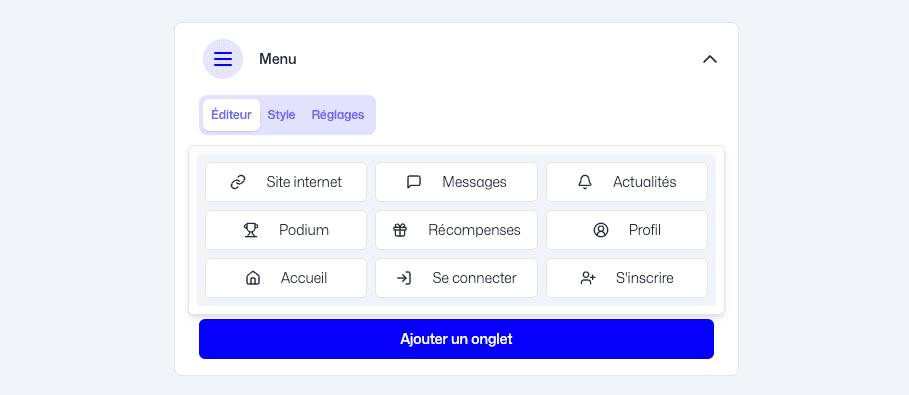
📌 Pssst... You can enable or disable these tabs in the settings of the Fanzone: Bot add-on.
🔐 Google, Facebook, Email… Instant identification
As mentioned in our last Release Note, Social Login, our platform's new feature, allows your fans to easily sign in via Google, Facebook or an Email with Magic Code. Here are some improvements:
A unified and simplified flow, visible in the Bot and the login modal.
Two new buttons appear in your Fanzone:
Sign in: opens the modal directly if the player already has an account.
Sign up: launches the personalized conversation in the chatbot so the player can register by answering your qualifying questions.
📅 Targeting & scheduling: personalize the fan experience based on their profile
Thanks to this highly anticipated feature, you can now schedule the display of each component in your Fanzone according to several criteria:
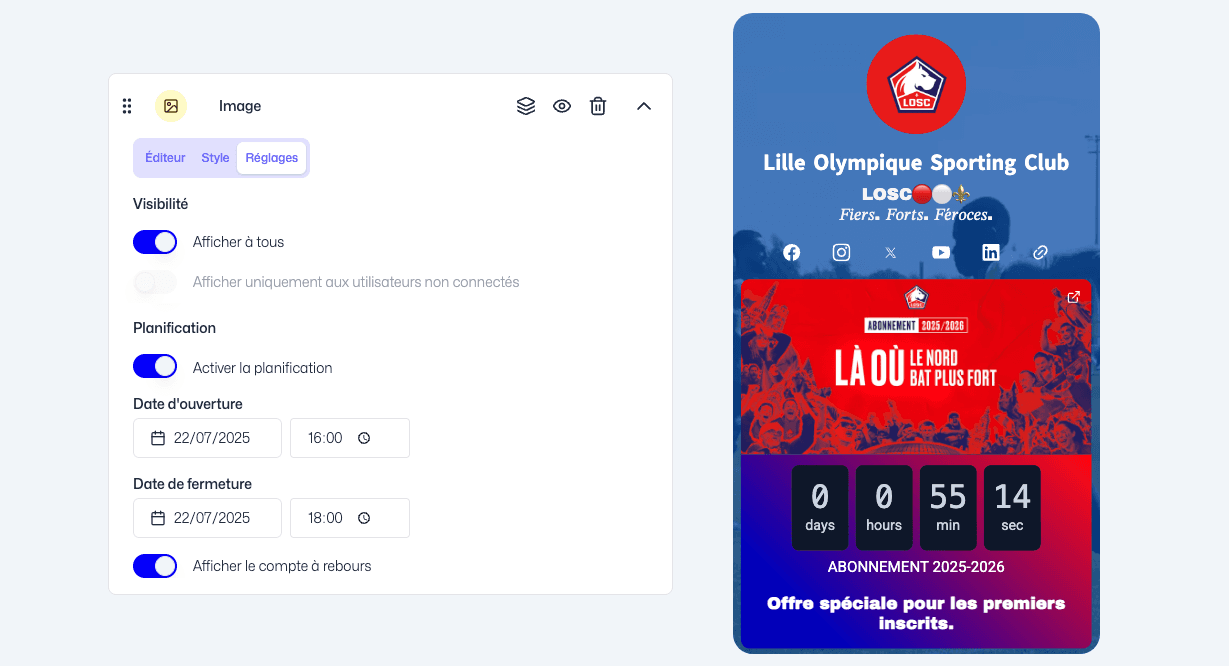
A defined period: start and end date and time
Targeting: open to all or identified members via Social Login to your Fanzone
A countdown: ideal for your time-limited offers to create urgency
📌 Use case examples:
Shop: limited edition, sales, 24h flash sales
Ticketing: private pre-sales for Fanzone members for 48h
Games: access limited to 48h with a draw among the top 10 players
VIP Content: videos visible only for 72h for members
️ Enriched carousels: add multi-format videos
Carousels become even more dynamic with video integration. Here are the available formats regardless of media used: 16:9; 9:16; 4:3; 1:1

We have also rethought caption design for optimal readability:
More flexible text positioning (above, below or overlaid)
Automatic overlay to ensure content readability when overlaid

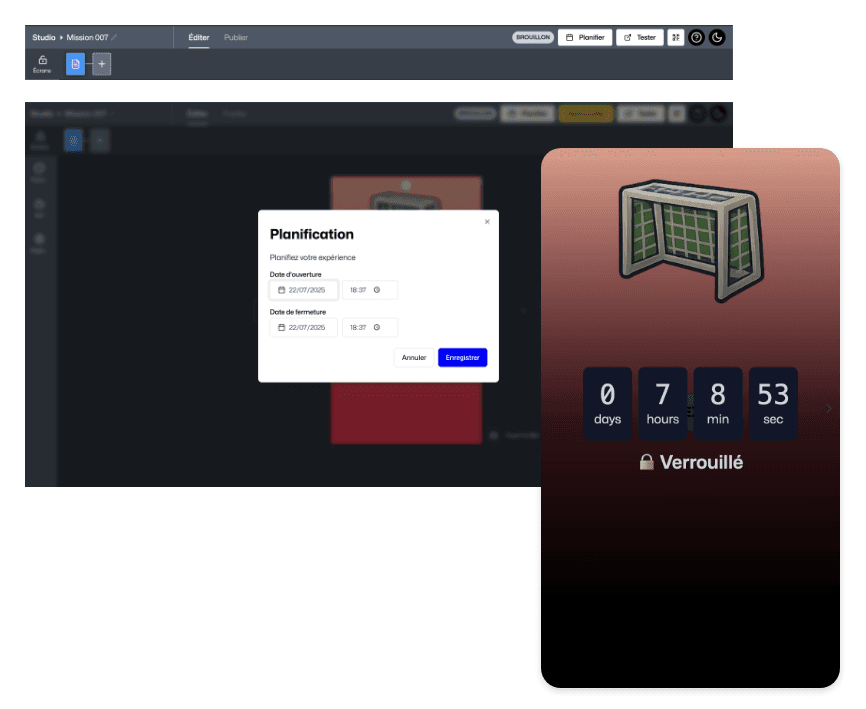
⏳ Tease your campaigns with scheduled experiences
You can now animate your Fanzone with scheduled experiences and an integrated countdown to create a teaser effect. Ideal for pacing your marketing campaigns, synchronizing your game with a live event or announcing a special contest. This option is located directly in the Experience Studio editor.
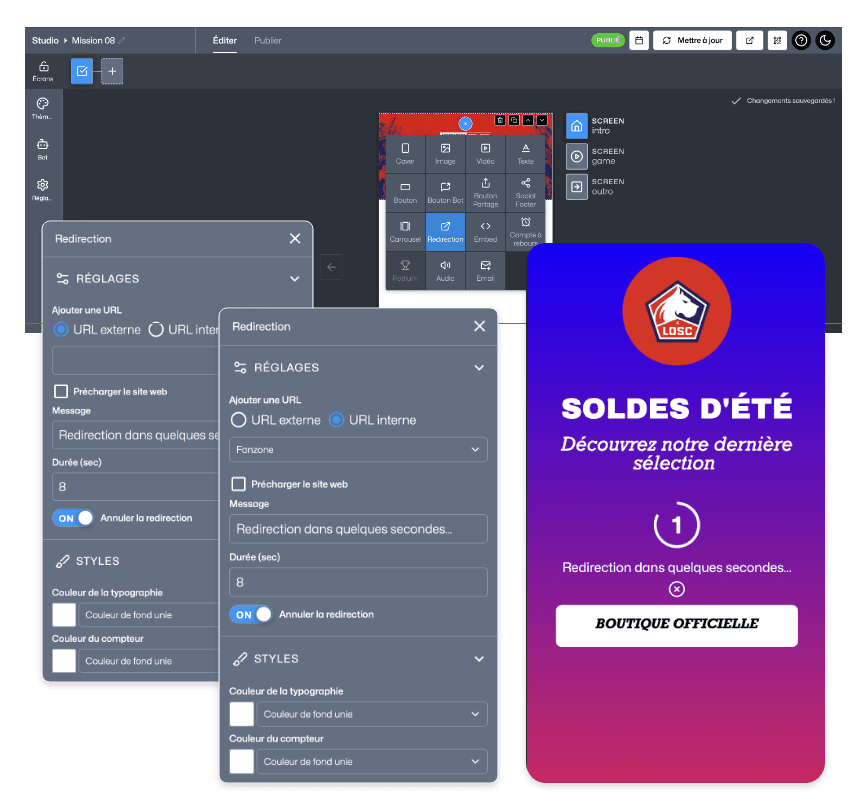
🔁 Guide your users with automatic redirection at the end of Experiences
To streamline the user journey, you can now automatically redirect the player at the end of an experience to:
A screen of your choice within the Experience
An external site like your shop, a partner or your Fanzone
⏲️ A countdown of a few seconds is displayed to warn the player of the upcoming redirect. The user can cancel the action if they wish.
Other optimizations
New
The YouTube component has been improved to offer a smoother player and a more harmonious rendering, regardless of your video format. Your videos now display cleanly in several ratios: Square (1:1), Landscape (16:9), Vertical (9:16) and Classic (4:3).
Updates
Buttons: In the interest of simplicity and clarity, we have harmonized all buttons across the platform: colors, typography, shapes, hover behaviors — everything has been aligned to ensure a smoother and more readable user experience for both your teams and your end users.
Image resolution: To better showcase your visual content, we have improved image resolution in the Shop and Ticketing Fanzone components. Product or event visuals now display more sharply and professionally, regardless of screen size.
Fixes
Video streaming: We have restored the video streaming feature to ensure smooth playback of your content without prior download. The MediaLoader has also been updated to offer better video compression, while preserving display quality for even faster loading of your Experiences.